- Page d'accueil /
- Livres /
- Ordinateurs et technologie /
- Operating Systems /
- Windows /
- Windows Desktop /
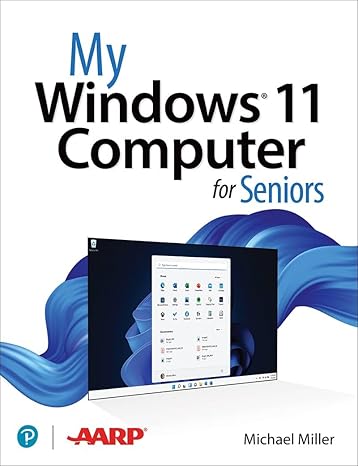
- My Windows 11 Computer for Seniors
0 ratings


Numéro d'article:
50188133
My Windows 11 Computer for Seniors
88% des répondants recommanderaient ceci à un ami
Numéro d'article:
50188133
XAF 27001
Détails du prix
Hors frais de livraison et de douane ( Les frais de livraison et de douane seront calculés lors du paiement )
*Tous les articles seront importés depuis États-Unis
0 ratings
Écrire un commentaire
En stock
 Importé depuis la boutique USA
QTY:
Commandez maintenant et recevez votre commande aux alentours du Mercredi, Septembre 09
Transaction sécurisée
Ubuy s'engage à protéger votre sécurité et votre confidentialité. Notre système avancé de sécurité des paiements garantit la confidentialité en chiffrant vos informations lors de la transmission grâce aux protocoles AES (Advanced Encryption Standards) et SSL (Secure Socket Layer). Vos coordonnées de paiement sont 100 % sécurisées car nous ne partageons pas vos informations de paiement avec des vendeurs tiers.
Nos meilleurs partenaires logistiques


My Microsoft Windows 11 Computer for Seniors is an easy, full-color tutorial on the latest operating system from Microsoft.

Livraison
rapide

Retour
gratuit*

Emballage sécurisé

Produits 100 % originaux

Conformité PCI DSS

Certifié ISO 27001



Note: Step Down Voltage Transformer required for using electronics products of États-Unis store (110-120). Recommended power converters Acheter maintenant.


Ce qui se démarque
Senior-Friendly Design
This edition offers a simplified interface tailored for seniors, ensuring ease of navigation and reducing technology-related stress. Users can enjoy a more accessible experience with clear, large text and intuitive controls.
Comprehensive Tutorials
Includes detailed step-by-step guides and tutorials specifically created for seniors. These resources empower older adults to master Windows 11 functionalities confidently, fostering independence in using modern technology.
Enhanced Support Resources
Access to dedicated customer support designed for seniors, offering personalized assistance. This feature addresses common user challenges, ensuring that help is available when needed, which enhances user satisfaction and confidence.
Détails du produit
| Publisher | Que Publishing |
| Publication date | March 14, 2022 |
| Edition | 1st |
| Language | English |
| Print length | 416 pages |
| ISBN-10 | 0137841701 |
| ISBN-13 | 978-0137841707 |
| Item Weight | 2.31 pounds (1.05 kg) |
| Dimensions | 6.9 x 1.1 x 9 inches (17.5 x 2.8 x 22.9 cm) |
| Part of series | My... |
À qui est-ce destiné ?

-
Elderly Beginners
Perfect for seniors who are new to computers and seek easy-to-understand instructions for practical tasks.
-
Tech-Savvy Seniors
Ideal for senior users familiar with technology but needing guidance specific to Windows 11 features.
-
Caregivers Assistance
Useful for caregivers looking to assist seniors with comfortable and simple explanations of computer operations.

-
Advanced Users
Not suitable for experienced users who require in-depth technical content or advanced troubleshooting techniques.
DESCRIPTION DU PRODUIT
My Windows 11 Computer for Seniors
About This Item
Introducing My Windows 11 Computer for Seniors 1st Edition: Your Ultimate Guide to Navigate the Latest Operating System Are you a senior looking to upgrade to Windows 11? Look no further! My Windows 11 Computer for Seniors 1st Edition is here to help you unlock the full potential of your new operating system. Designed specifically for seniors, this comprehensive guide is packed with easy-to-follow instructions, helpful tips, and practical advice to ensure a seamless transition to Windows 11. With our step-by-step tutorials, you'll quickly become proficient in using all the essential features of your new computer. Whether you're new to Windows or upgrading from a previous version, My Windows 11 Computer for Seniors provides a user-friendly interface that caters to your unique needs. We understand that technology can sometimes feel overwhelming, but rest assured, this guide breaks down complex concepts into simple, bite-sized instructions that are easy to understand and apply. From setting up your Windows 11 computer to troubleshooting common issues, we cover it all.
Our detailed chapters cover a range of topics, including: 1. Customizing your desktop: Discover how to personalize your computer by changing wallpapers, themes, and fonts. 2. Navigating the new Start menu: Learn how to find your favorite apps, pin them to the taskbar, and quickly access them with just a few clicks. 3.
Mastering the Microsoft Store: Discover a world of apps, games, and entertainment tailored just for you. 4. Optimizing your computer's performance: Keep your computer running smoothly by utilizing performance-enhancing tools and optimizing settings. 5. Staying safe online: Learn essential cybersecurity practices, such as setting up strong passwords and using antivirus software to protect your personal information. With My Windows 11 Computer for Seniors as your go-to resource, you'll gain the confidence you need to explore all the features this advanced operating system has to offer.
Whether you want to video chat with loved ones, manage your finances, or pursue a new hobby online, this guide will help you make the most of your Windows 11 computer. Don't let technology intimidate you! Join the growing community of seniors who are embracing Windows 11 with confidence and ease. Order your copy of My Windows 11 Computer for Seniors 1st Edition today and embark on an exciting digital journey designed just for you.
Vous avez une question ? Chattez avec nous
Questions et réponses des clients
-
question:
What are the key features of My Windows 11 Computer for Seniors 1st Edition?
répondre: This edition includes user-friendly features designed specifically for seniors, such as larger fonts, simplified navigation, and intuitive layouts. It focuses on the most common tasks seniors might engage in, like browsing the web, managing emails, and using video conferencing tools. By providing step-by-step guides and visual aids, the book ensures that seniors can comfortably use Windows 11 without feeling overwhelmed. -
question:
Is My Windows 11 Computer for Seniors suitable for someone who has never used a computer before?
répondre: Absolutely! This book is tailored for beginners. It starts from the very basics, introducing essential computer concepts and walking readers through each step. With clear instructions and supportive visuals, even those with no prior experience will feel empowered to learn and use Windows 11 confidently. -
question:
How does My Windows 11 Computer for Seniors address accessibility?
répondre: The book emphasizes accessibility features available in Windows 11, including voice recognition, magnification tools, and screen readers. By highlighting these tools, it aims to make technology more accessible for seniors with varying levels of ability, ensuring that everyone can engage with their computer comfortably and effectively. -
question:
Can My Windows 11 Computer for Seniors help with common troubleshooting?
répondre: Yes, it provides practical troubleshooting tips for common issues that seniors may encounter, including connectivity problems and software glitches. The book teaches how to resolve these issues independently, minimizing reliance on others, thus fostering greater confidence and independence in using technology. -
question:
What topics are covered in My Windows 11 Computer for Seniors?
répondre: The book covers a broad range of topics, including setting up the computer, navigating the Windows interface, installing software, using email, online shopping tips, and maintaining computer security. Each topic is broken down into manageable sections, making it easy for seniors to follow along at their own pace. -
question:
Does this book include resources for online learning?
répondre: Yes, it provides guidance on accessing online resources, including educational websites, tutorials, and forums. This can expand seniors' knowledge beyond the book, encouraging self-directed learning and helping them to grow more comfortable with technology in various contexts. -
question:
How can I encourage a senior to start using My Windows 11 Computer?
répondre: Start by demonstrating simple tasks highlighted in the book, such as sending an email or browsing the web. Share relatable scenarios, like connecting with family over video calls, to showcase the practical benefits of using Windows 11. Encourage them by celebrating small achievements to motivate continuous learning. -
question:
What resources are available if a reader needs further help?
répondre: Readers can access additional online platforms or communities aimed at helping seniors with technology. The book likely provides links to forums and websites that offer tech support tailored for seniors, enabling further assistance and fostering a supportive learning environment. -
question:
How does My Windows 11 compare to previous versions?
répondre: My Windows 11 Computer for Seniors outlines crucial differences, such as a streamlined interface, new applications, and enhanced security features. These improvements make everyday tasks more efficient. This resource provides clarity on each feature, making it relatable and easier for seniors to adapt from earlier versions of Windows. -
question:
Where can I buy My Windows 11 Computer for Seniors 1st Edition?
répondre: You can conveniently purchase My Windows 11 Computer for Seniors 1st Edition on Ubuy. They offer a streamlined shopping experience with a variety of options, ensuring that you can find exactly what you need with great accessibility.
Windows Desktop Editorial Review
The book seems to be well-received by customers, particularly by seniors or those who already have some basic knowledge in the topic. They appreciate that the information is presented in an easy-to-follow and understandable manner, making it a good refresher or introduction to the subject. Some users seem to be slowly going through the book due to the amount of information provided, but they find it helpful and well-explained overall. **** This book seems to be a valuable resource for both seniors and beginners in the subject matter. The simple and clear explanations make it easy to understand even for those who may already have some knowledge. The comprehensive content ensures that readers can learn a lot from this book, whether they go through it quickly or take their time with the information provided. **
Avis et évaluations clients
1 évaluations des clients
-
5 étoile
100%
-
4 étoile
0%
-
3 étoile
0%
-
2 étoile
0%
-
1 étoile
0%
Donnez votre avis sur ce produit
Partagez votre avis avec d'autres clients
Avantages
- Easy-to-follow explanations
- Comprehensive content
- Helpful for seniors and beginners alike
Les inconvénients
- May contain a lot of information to go through
CONFIANCE EN LA PLATEFORME & PROTECTION DE L'ACHETEUR

MA
Mohammad
Acheteur vérifié
“Excellent quality and original too,when ubuy send original things I will appreciate that ,I very satisfied thank you”
23 July 2026 · via Trustpilot
CK
Chitra
Acheteur vérifié
“The order and delivery progress was communicated very well. Package arrived within the estimated time. Products arrived as expected in good condition.”
22-Jul-26 · via Trustpilot
K
kund
Acheteur vérifié
“Good supply of products. Safe payment methods, and shipment worldwide! Genuine products.”
23-Jul-26 · via Trustpilot
OO
Onesi
Acheteur vérifié
“Was my first time buying a product from Ubuy, but I found it so helpful. This is reliable. Gonna place a new order!”
22 July 2026 · via Trustpilot
SJ
SAO JOHN
Acheteur vérifié
“Ubuy is a great online platform to buy stuff. Reliable, fast delivery time and great value for money. I've been using Ubuy online shopping platform for three years now and will continue to do so.”
23 July 2026 · via Trustpilot
Paiement sécurisé
Global Delivery
Retours faciles
Genuine Products
Historique des prix du produit
Informations importantes
- Limitations : Pour les produits expédiés à l'international, veuillez noter que toute garantie du fabricant peut ne pas être valide ; les options de service du fabricant peuvent ne pas être disponibles ; les manuels, instructions et avertissements de sécurité des produits peuvent ne pas être dans les langues du pays de destination ; les produits (et les matériaux qui les accompagnent) peuvent ne pas être conçus conformément aux normes, spécifications et exigences d'étiquetage du pays de destination ; et les produits peuvent ne pas être conformes à la tension et aux autres normes électriques du pays de destination (nécessitant l'utilisation d'un adaptateur ou d'un convertisseur le cas échéant). Il incombe au destinataire de s'assurer que le produit peut être importé légalement dans le pays de destination. En cas de commande auprès d'Ubuy ou de ses filiales, le destinataire est l'importateur officiel et doit se conformer à toutes les lois et réglementations du pays de destination.
- Tous les produits listés sur Ubuy ne sont pas à vendre, Ubuy étant un moteur de recherche mondial. Les produits sont soumis aux réglementations en matière d'exportation et de commerce.
XAF 27001
Commandez maintenant et recevez votre commande aux alentours du Mercredi, Septembre 09
This item is not restrict in my country.(Please click on above link if this item is not restrict in your country, So our team will review and allow.)
QTY:
Transaction sécurisée
Conforme PCI DSS et certifié ISO 27001:2022, avec des paiements chiffrés et une protection complète de l'acheteur pour chaque commande.
Nos meilleurs partenaires logistiques
Livraison transfrontalière la plus rapide
Caractéristiques et avantages
- Step-by-step instructions and large, full-color photos
- Configure Windows 11 for those with vision and physical challenges
- Find, install, and use the best Windows apps
- Shop safely online and avoid online scams
- Make and receive video and voice calls with Skype
- Watch streaming video on your PC with Disney+, Netflix, YouTube, and more
Assurance Ubuy
Profitez d'une expérience d'achat sereine avec des produits 100 % originaux, une sécurité de paiement conforme PCI DSS, une protection des données certifiée ISO 27001, la livraison transfrontalière la plus rapide, les retours gratuits* et un emballage sécurisé pour chaque commande.